
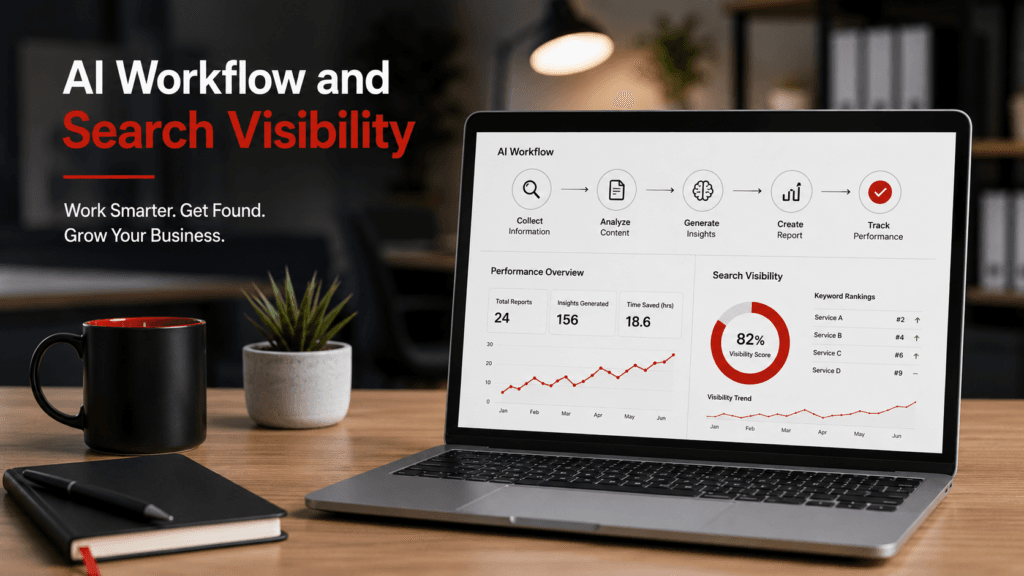
Artificial intelligence is quickly moving beyond standalone chatbots. Microsoft is integrating AI directly into the applications businesses already use for email, documents, spreadsheets, meetings, presentations, reporting, and internal collaboration.
At the same time, Microsoft has expanded Bing Webmaster Tools with an AI Performance report that helps website owners see when their content is cited in AI-generated answers across Microsoft Copilot and certain partner experiences.
These developments create two distinct opportunities for small businesses:
- Microsoft 365 Copilot can help organize and accelerate recurring business tasks.
- Bing Webmaster Tools can provide greater insight into how website content is being discovered and referenced by AI systems.
Neither tool eliminates the need for human judgment, traditional analytics, Google Search Console, strong website content, or a well-planned SEO strategy. However, used responsibly, they can help small businesses improve productivity while developing a clearer picture of their visibility in AI-powered search.
What Is Microsoft 365 Copilot?
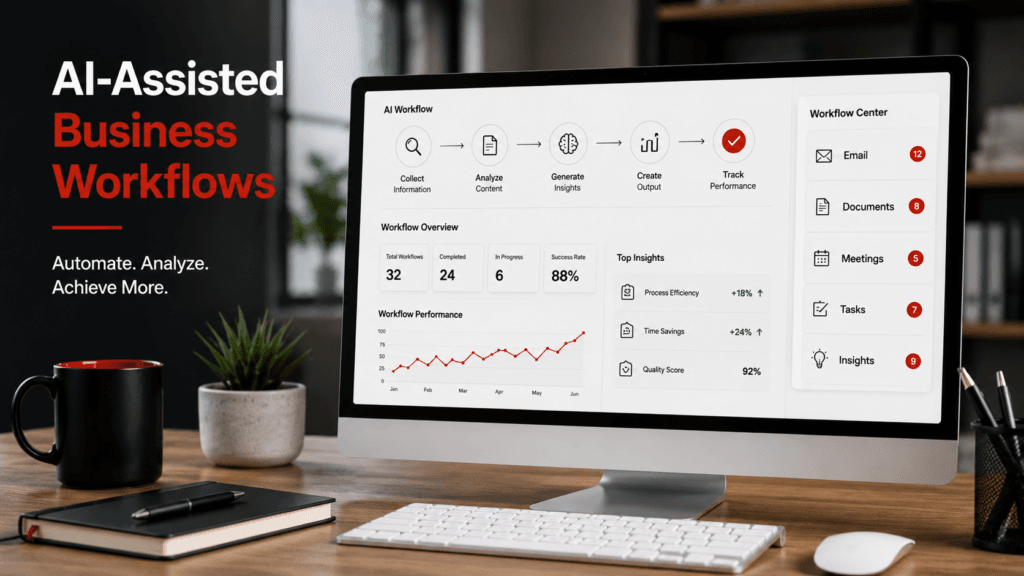
Microsoft 365 Copilot is an AI-powered work assistant that operates within the Microsoft 365 environment.
Depending on the organization’s plan, licensing, administrative settings, and available features, Copilot can assist users in applications such as:
- Microsoft Word
- Microsoft Excel
- Microsoft Outlook
- Microsoft PowerPoint
- Microsoft Teams
- OneDrive
- SharePoint
- Microsoft 365 Copilot Chat
Instead of working only as a general-purpose chatbot, Microsoft 365 Copilot can use the information a person is already permitted to access within Microsoft 365. This may include emails, documents, meeting notes, calendars, presentations, and other approved business information.
Microsoft states that Copilot inherits existing Microsoft 365 permissions, sensitivity labels, and retention policies. That does not eliminate every privacy or security concern, but it means Copilot should not automatically give an employee access to business information that the employee was not already authorized to view.
Microsoft is also introducing Microsoft 365 Business Standard with Copilot and Microsoft 365 Business Premium with Copilot beginning July 1, 2026. These bundled plans are designed for small and midsized organizations that want Microsoft 365 applications and Copilot under one business subscription.
Features and licensing can change frequently, so businesses should confirm current availability and pricing before making a purchasing decision.
How Small Businesses Can Use Copilot in Daily Workflows
The best starting point for Microsoft 365 Copilot is usually not an ambitious plan to automate the entire business.
Instead, a company should identify repetitive tasks that already follow a reasonably consistent process.
Copilot may be able to assist with tasks such as:
- Drafting recurring business reports
- Summarizing meetings and email discussions
- Turning rough notes into organized documents
- Creating first drafts of client communications
- Developing internal instructions and procedures
- Organizing spreadsheet information
- Preparing presentation outlines
- Repurposing previously approved content
- Creating project summaries
- Identifying action items from meetings
- Comparing information contained in multiple documents
For example, a small business owner could ask Copilot to summarize a lengthy email discussion, identify unresolved questions, and create a list of next steps.
A marketing agency might use Copilot to organize analytics notes into the first draft of a monthly client report.
An office manager could turn informal notes into a structured procedure for handling new customer inquiries.
These uses can reduce the time spent organizing information. However, the quality of the result still depends heavily on the source material’s quality, accuracy, and completeness.
Using Copilot for Recurring Documentation and Reporting
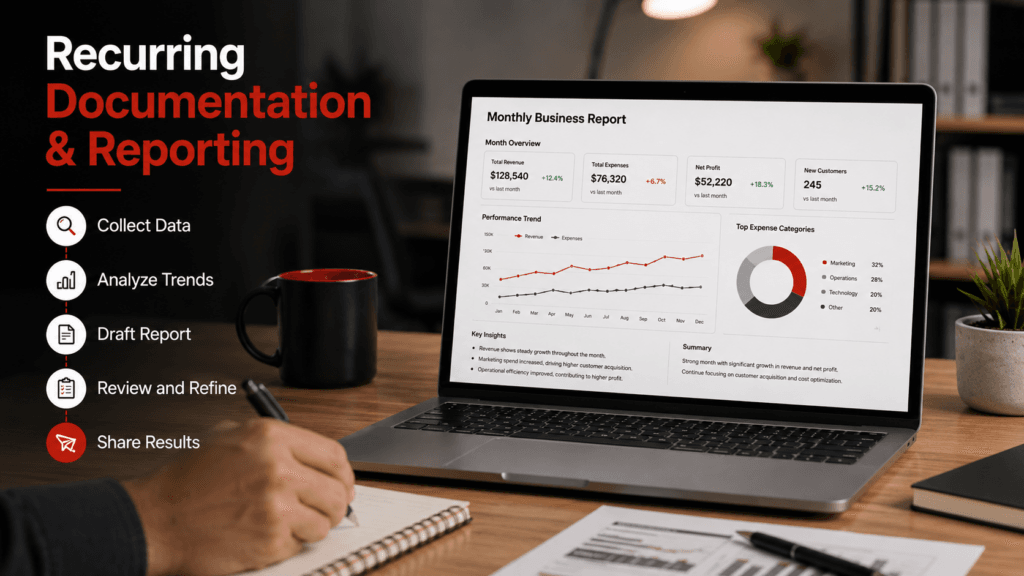
Recurring reports are one of the most practical applications of Microsoft 365 Copilot.
Many businesses prepare similar documents every week or month, including:
- Marketing performance reports
- Website maintenance summaries
- Client meeting agendas
- Project status updates
- Support-ticket summaries
- Internal checklists
- Campaign reports
- Standard operating procedures
- Sales activity summaries
- Employee training documents
Consider a digital marketing agency that prepares monthly website and SEO reports.
The agency may collect information from Google Analytics, Google Search Console, Bing Webmaster Tools, Google Business Profile, social media accounts, and website maintenance systems.
After the data has been reviewed, approved information could be placed in a spreadsheet or document. Copilot could then help:
- Organize the information by channel.
- Identify increases or decreases in the provided metrics.
- Draft a plain-language performance summary.
- Create a list of completed work.
- Prepare suggested priorities for the following month.
- Format the information into a repeatable reporting structure.
The final report should still be reviewed by someone who understands the client’s business, the analytics platforms, and the marketing strategy.
Copilot may help prepare the report, but it does not automatically understand whether an increase was meaningful, whether a recommendation is appropriate, or whether a metric was interpreted correctly.
What Is Bing Webmaster Tools’ AI Performance Report?
Bing Webmaster Tools has traditionally helped website owners understand how Bing crawls, indexes, and displays their websites in search results.
Its tools include information related to:
- Search impressions
- Search clicks
- Click-through rates
- Search queries
- Indexed pages
- Crawl activity
- Technical SEO issues
- URL submission
- IndexNow
- Backlinks
- Keyword research
In February 2026, Microsoft introduced the AI Performance report in Bing Webmaster Tools as a public preview.
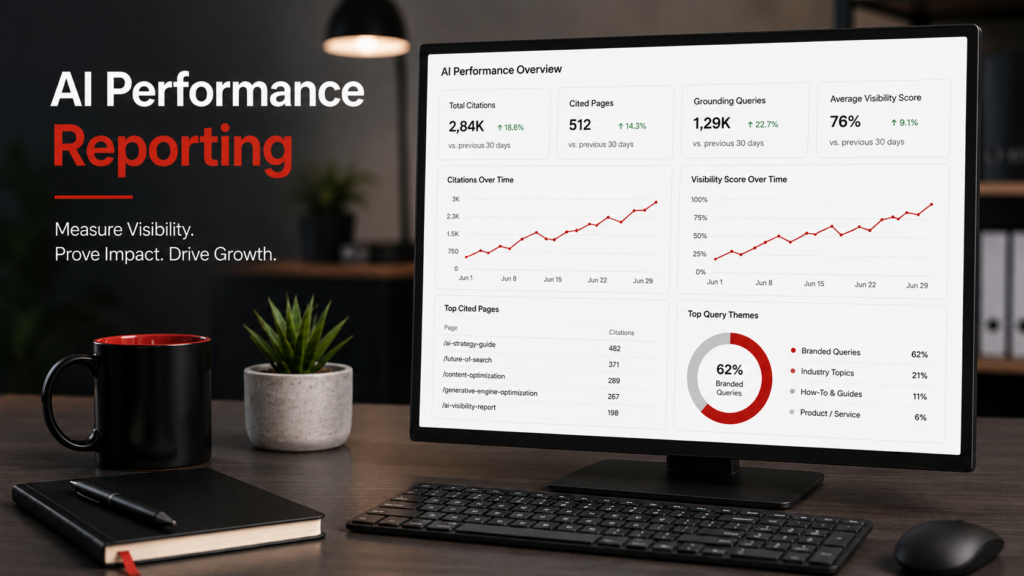
The report provides information about how a verified website is cited in AI-generated answers across Microsoft Copilot and certain partner experiences.
Reported information may include:
- Total citations
- The number of cited pages
- Pages receiving citations
- Grounding query phrases
- Citation trends over the selected period
A citation occurs when a website is displayed as a source supporting an AI-generated answer.
This is important because an AI citation is different from a traditional search impression or click. A page may be used as a supporting source even when the user does not visit the website.
The report can help a business identify which pages Microsoft’s AI experiences appear to consider useful for answering particular questions.
What Bing AI Reporting Can—and Cannot—Tell You
Bing’s AI Performance report provides valuable information, but the data must be interpreted carefully.
It may help a business answer questions such as:
- Which pages are receiving AI citations?
- Which subjects are associated with those citations?
- Are citations increasing or decreasing?
- Are service pages, blog posts, FAQs, or guides being referenced?
- Which content may deserve further development?
However, the report does not guarantee that every appearance of the business across every Microsoft AI product will be recorded.
It also does not necessarily indicate:
- How prominently the citation appeared
- Whether the user noticed the citation
- Whether the citation led to a website visit
- Whether the AI answer represented the business accurately
- Whether the citation directly produced a lead or sale
- Why Microsoft selected one page instead of another
Citation counts should therefore be treated as visibility indicators rather than direct conversion metrics.
Comparing Bing AI Metrics With Google Search Console
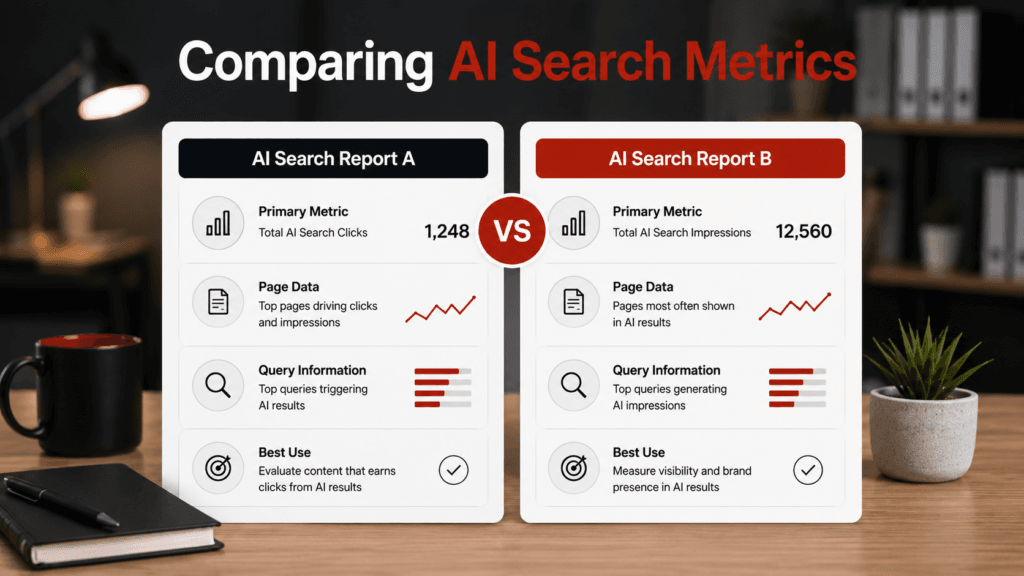
Google also introduced dedicated Search Generative AI performance reports in Search Console in June 2026.
The Google report is being rolled out to a subset of website owners. It shows impressions generated when links to a website appear within supported generative AI features, including AI Overviews and AI Mode. It can also show which pages receive the most impressions and where impressions originate by dimensions such as device and country.
Bing and Google are not reporting exactly the same information.
| Reporting Area | Google Search Console | Bing Webmaster Tools | Recommended Action |
|---|---|---|---|
| Primary AI metric | Impressions in supported generative AI features | Citations in AI-generated answers | Track each separately |
| AI experiences | AI Overviews and AI Mode | Microsoft Copilot and supported partner experiences | Document platform differences |
| Page-level reporting | Pages receiving AI impressions | Pages receiving AI citations | Identify consistently visible pages |
| Query information | Limited according to the report’s available dimensions | Grounding query phrases may be provided | Use available themes to guide content |
| Click reporting | AI data remains part of broader Search performance reporting | Citations may not produce a click | Do not equate visibility with traffic |
| Rollout status | Gradual rollout to eligible properties | Public preview | Expect features to evolve |
| Best use | Measuring Google AI visibility trends | Evaluating Microsoft AI citations | Include both in monthly reporting |
The numbers should not be expected to match.
Google and Microsoft operate different search indexes, interfaces, ranking systems, AI experiences, and reporting methodologies. A page can perform well in one ecosystem and receive little visibility in the other.
The goal is not to combine the figures into one artificial total. The goal is to use each platform to understand a different part of the business’s search visibility.
Why AI Search Reporting Matters for Small Businesses
Traditional ranking reports focus heavily on where a page appears for a particular keyword.
That information remains valuable, but it no longer provides a complete view of online visibility.
Potential customers may now encounter a business through:
- Traditional organic search results
- AI Overviews
- Google AI Mode
- Microsoft Copilot
- Gemini
- ChatGPT
- Voice assistants
- Map results
- Business listings
- Recommendation platforms
- AI-generated summaries
This means businesses should begin monitoring more than conventional rankings.
Important questions now include:
- Are the company’s most important pages being discovered?
- Is the company’s information represented accurately?
- Do AI systems understand what the business does?
- Do they understand where the business operates?
- Are original articles or service pages receiving citations?
- Are branded searches growing?
- Which pages appear across multiple search ecosystems?
- Is AI visibility contributing to qualified website traffic?
No optimization method can force ChatGPT, Copilot, Gemini, Google AI Mode, or another AI platform to cite a specific website.
Businesses can, however, make their information clearer, more reliable, more accessible, and more useful.
The Connection Between Bing, Copilot, and Website Visibility
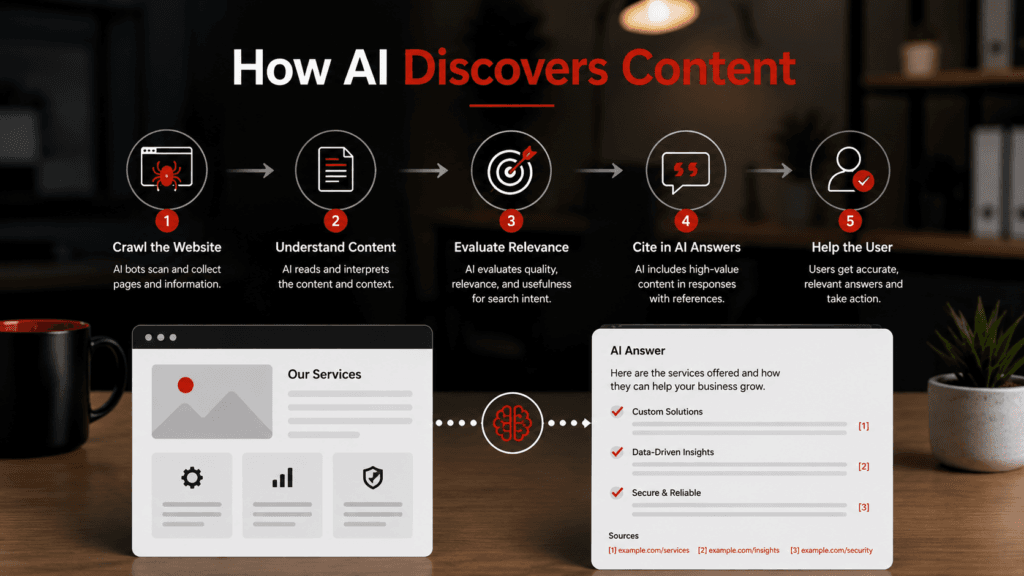
Bing is an important part of Microsoft’s broader search and AI ecosystem.
Microsoft’s webmaster guidelines explain that Bing’s systems discover, crawl, index, evaluate, and surface content across Bing Search, Copilot, and grounding services.
That does not mean every page indexed by Bing will appear in Copilot. Indexing is only one part of the process.
A website still needs strong fundamentals, including:
- Clear descriptions of services
- Accurate company and contact information
- Helpful service-area information
- Original, experience-based content
- Logical page organization
- Descriptive headings
- Appropriate internal links
- Author and company information
- Relevant FAQs
- Crawlable pages
- Accurate structured data
- Consistent business listings
- Trusted external references
- Updated information
Businesses should focus on making their websites clear and useful rather than attempting to manipulate AI systems.
The same page should make sense to a customer, a search engine, and an AI-powered retrieval system.
How This Supports Generative Engine Optimization
Generative Engine Optimization, commonly called GEO, describes efforts to improve a company’s visibility within AI-generated answers.
GEO should not be viewed as a replacement for SEO.
Google’s own guidance states that the best practices used for traditional SEO remain relevant to generative AI features. Google also advises businesses to focus on helpful, reliable, original content rather than special AI markup or supposed optimization shortcuts.
The strongest SEO and GEO practices frequently overlap:
- Publish original information.
- Include firsthand business experience.
- Answer real customer questions.
- Identify the author or responsible organization.
- Support factual claims with reliable sources.
- Keep business details consistent.
- Make pages easy to crawl and navigate.
- Use descriptive titles and headings.
- Maintain strong technical website health.
- Add relevant images and videos.
- Update outdated information.
- Earn legitimate mentions and references.
The objective is not to write content for a machine instead of a person.
The objective is to publish content that is sufficiently helpful, clear, and trustworthy that both people and automated systems can understand its value.
A Practical Microsoft and Google AI Reporting Workflow
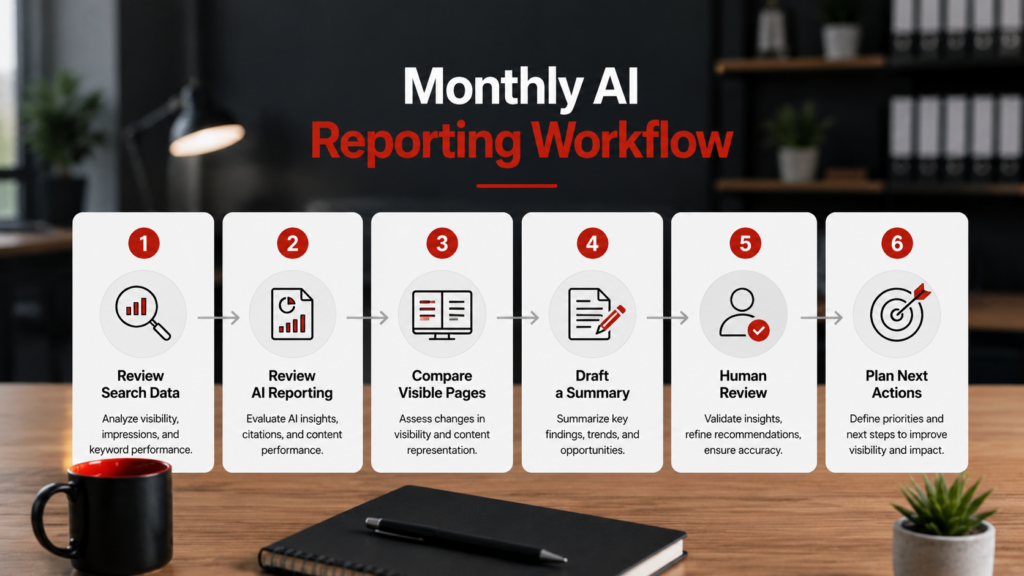
Small businesses and marketing agencies can incorporate AI visibility into their existing monthly reporting process.
Step 1: Review Google Search Console
Check:
- Traditional search clicks and impressions
- Important search queries
- High-performing pages
- Indexing problems
- Mobile usability
- Significant increases or decreases
- Generative AI performance data, when available
Because Google’s dedicated AI report is still rolling out, not every property will have access immediately.
Step 2: Review Bing Webmaster Tools
Check:
- Search performance
- Indexed pages
- Crawl activity
- Technical recommendations
- AI citations
- Cited pages
- Grounding query phrases
- Citation trends
Step 3: Compare Visible Pages
Identify pages that receive visibility across both platforms.
A page appearing in both Google’s AI experiences and Microsoft Copilot may be especially important because it suggests the content is useful across multiple search ecosystems.
Also look for gaps. A page that performs well on Google but not Bing may require a technical review or may simply reflect differences between the platforms.
Step 4: Review the Content
Ask:
- Does the page answer the searcher’s question clearly?
- Is any information outdated?
- Does it include original insight?
- Are the business name, services, and locations accurate?
- Are important claims supported?
- Does the page contain an appropriate next step?
- Are relevant internal links included?
Step 5: Use Copilot to Organize the Findings
Place the approved findings in an authorized Microsoft 365 document or spreadsheet.
Copilot can then help create:
- A report outline
- A performance summary
- A comparison of reporting periods
- A list of completed work
- Recommended priorities
- A client-friendly explanation of AI metrics
Step 6: Verify the Draft
A knowledgeable person should confirm:
- Every number
- Every comparison
- Every recommendation
- Every interpretation
- Every client-facing claim
Step 7: Document the Next Actions
Each report should end with specific actions, such as:
- Expanding a frequently cited article
- Improving a service page
- Correcting inconsistent business information
- Adding original examples
- Strengthening internal links
- Resolving an indexing problem
- Updating old statistics
- Publishing a new FAQ
Reporting is most valuable when it leads to informed action.
Risks and Limitations Small Businesses Should Understand
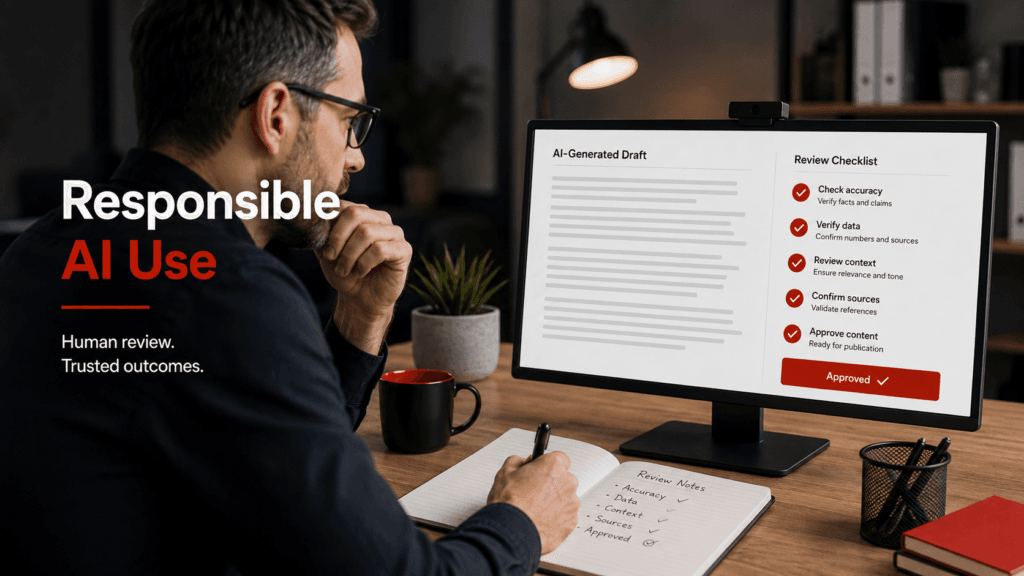
Microsoft 365 Copilot and AI visibility reports have limitations.
Copilot Can Produce Incorrect Information
A polished response is not necessarily an accurate response.
Copilot may misunderstand the source material, omit context, draw an unsupported conclusion, or create language that sounds more certain than the evidence justifies.
Source Quality Matters
If the underlying document contains outdated or incorrect information, Copilot may repeat it.
AI cannot correct a process that was never clearly documented in the first place.
Sensitive Information Requires Care
Businesses should determine what employees may enter into AI tools and what information should remain restricted.
This may include:
- Customer information
- Employee records
- Financial information
- Passwords
- Legal documents
- Medical information
- Confidential strategies
- Client-owned data
Permissions Must Be Reviewed
Copilot relies on existing permissions. Poorly configured Microsoft 365 permissions can therefore create unnecessary exposure within the organization.
Businesses should review access to SharePoint, OneDrive, Teams, shared mailboxes, and other repositories before expanding Copilot use.
AI Visibility Is Not the Same as Revenue
An increase in impressions or citations does not automatically mean an increase in leads.
Businesses still need to evaluate website visits, inquiries, calls, form submissions, appointments, and sales.
The Reports Will Continue Changing
Bing’s AI Performance report is in public preview, and Google’s generative AI reports are still being rolled out.
Definitions, included platforms, metrics, interfaces, and access requirements may change.
Create a Basic Internal AI-Use Policy
Even a small business should establish simple rules for responsible AI use.
The policy should explain:
- Which AI tools are approved
- What information employees may use
- What information must never be submitted
- Which outputs require human review
- Who is responsible for approving client-facing material
- How factual claims should be verified
- How generated content should be stored
- How errors or security concerns should be reported
The policy does not need to be complicated. It needs to be clear enough that employees understand that AI assistance does not remove their responsibility for the final work.
How to Get Started
A small business can begin with the following process:
- Choose one recurring internal task.
- Document how the task is currently completed.
- Identify which parts require human judgment.
- Determine where Copilot could assist.
- Create a review and approval procedure.
- Confirm access to Google Search Console.
- Set up or review Bing Webmaster Tools.
- Record baseline search and AI visibility metrics.
- Compare the information each month.
- Continue improving original, experience-based website content.
A good first project might be a monthly internal report, meeting summary, project update, or documented procedure.
The goal should be measurable improvement—not simply using AI because it is available.
Does Every Small Business Need Microsoft 365 Copilot?
Not necessarily.
Copilot may provide the greatest value to businesses that already use Microsoft 365 extensively and regularly produce:
- Emails
- Documents
- Reports
- Spreadsheets
- Presentations
- Meeting notes
- Project plans
- Internal procedures
A one-person business that uses Microsoft 365 only occasionally may not save enough time to justify additional licensing.
Before purchasing, consider:
- How many employees need access
- Which recurring tasks Copilot could support
- How much time those tasks currently require
- Whether the company’s files are organized
- Whether permissions are properly configured
- Whether employees will receive training
- Whether a review process exists
- Whether the expected time savings justify the cost
Copilot is most helpful when introduced as part of a defined process rather than as an unstructured experiment.
Final Thoughts
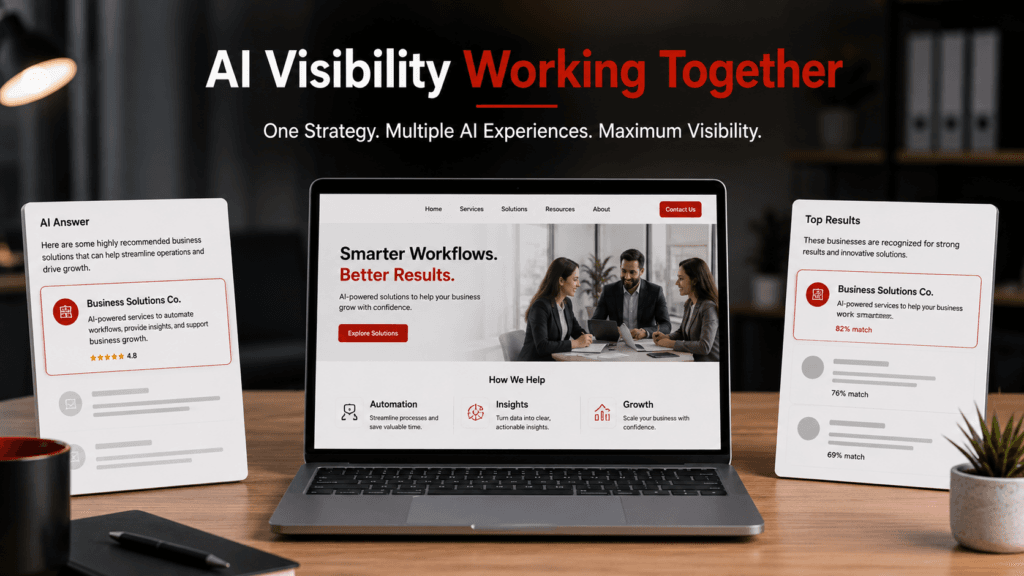
Microsoft 365 Copilot and Bing Webmaster Tools address two different sides of a small business’s AI strategy.
Microsoft 365 Copilot can help employees organize information, draft recurring documents, summarize approved source material, and streamline established workflows.
Bing Webmaster Tools can help website owners see when their content is being cited within Microsoft’s AI ecosystem.
Google Search Console’s new generative AI reports add another important perspective by showing impressions from supported Google AI features.
Together, these platforms can help businesses answer two important questions:
- How can we use AI more efficiently inside the business?
- How visible is our business within AI-powered search?
The strongest strategy will continue to combine human expertise, reliable reporting, original content, technical website quality, accurate business information, and responsible use of AI.
TK Internet Marketing helps small businesses strengthen their WordPress websites, improve local and organic search visibility, develop experience-based content, and adapt to changes in AI-powered discovery.
Frequently Asked Questions
What is Microsoft 365 Copilot?
Microsoft 365 Copilot is an AI-powered assistant that works within the Microsoft 365 environment. Depending on licensing and available features, it can assist with emails, documents, spreadsheets, presentations, meetings, and other business tasks.
Is Microsoft 365 Copilot useful for small businesses?
It can be valuable for small businesses that already use Microsoft 365 and regularly create documents, reports, emails, spreadsheets, presentations, or meeting summaries. Its value depends on the company’s workflow, licensing cost, employee adoption, and review procedures.
What can Copilot help automate?
Copilot can assist with drafting, summarizing, organizing, comparing, and formatting information. It should generally support an existing workflow rather than independently completing work that requires professional judgment.
What is Bing Webmaster Tools’ AI Performance report?
It is a Bing Webmaster Tools report that provides information about when a verified website is cited in AI-generated answers across Microsoft Copilot and supported partner experiences.
Does Bing Webmaster Tools replace Google Search Console?
No. The two platforms cover different search ecosystems and should be used together. Google Search Console reports on Google visibility, while Bing Webmaster Tools provides information about Bing and supported Microsoft experiences.
Can Bing reporting show whether Copilot cites my website?
Bing’s AI Performance report can show citations associated with Microsoft Copilot and certain partner experiences. It may also identify cited pages and related grounding query phrases. It should not be considered a complete record of every AI mention.
What is Generative Engine Optimization?
Generative Engine Optimization, or GEO, refers to efforts to improve a brand’s visibility within AI-generated answers. In practice, many GEO recommendations overlap with established SEO principles such as publishing original content, maintaining technical quality, demonstrating expertise, and providing accurate information.
How can I improve my website’s visibility in AI search?
Focus on clear service pages, original expertise, accurate business information, helpful answers, strong technical SEO, appropriate internal links, trustworthy sourcing, consistent business listings, and regularly updated content. No method can guarantee an AI citation.
