Imagine a homeowner in Frisco asks an AI assistant to find a local remodeler who handles kitchen renovations. The assistant may visit several websites to see who offers that service, which areas they cover, and how to request an estimate. The homeowner might see the answer before ever opening one of those websites.
That makes the information on your site important even when a prospective customer hasn’t clicked through yet. If your service area appears only in an image or your quote request page is buried in the navigation, the assistant may have trouble finding those details. In its article about AI agents as website visitors, Elementor describes how agents can read pages, look up specific facts, and sometimes take actions on someone’s behalf. Read Elementor’s article about AI agents and websites.
So how do you know what an AI tool can actually do on your site? A readiness scan gives you a place to start.
What Elementor’s Find, Read, and Act scores mean
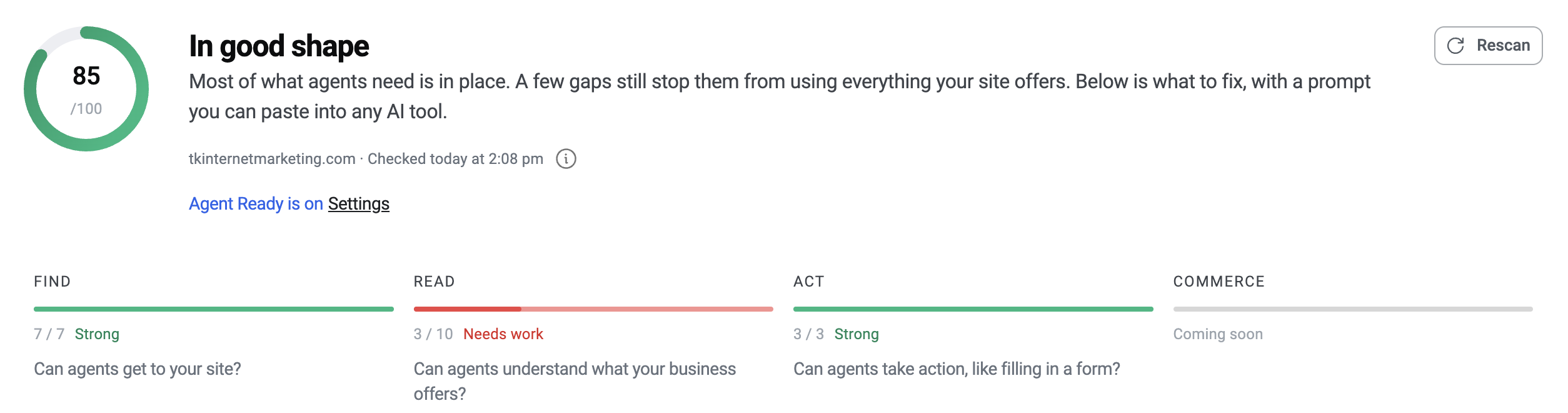
Elementor’s Agent Ready Checker gives your site an overall score out of 100 and breaks it down into three areas. The overall number is a useful baseline. The breakdown tells you where to look first.
| Category | What it checks | A question to ask about your website |
|---|---|---|
| Find | Whether agents can reach your site and discover the resources you make available | Can an agent reach the public page that describes my main service? |
| Read | Whether agents can access and understand the information you publish | Can it tell what I offer, where I work, and how to contact me? |
| Act | Whether compatible agents can use actions your website makes available | Can it use a supported feature, such as searching for information on the site? |
The score reflects the checker’s technical tests at the time of the scan. How often your business appears in AI answers is a separate question. For that broader topic, see Is Your Small Business Website Ready for AI Search?
What I learned from scanning my own website
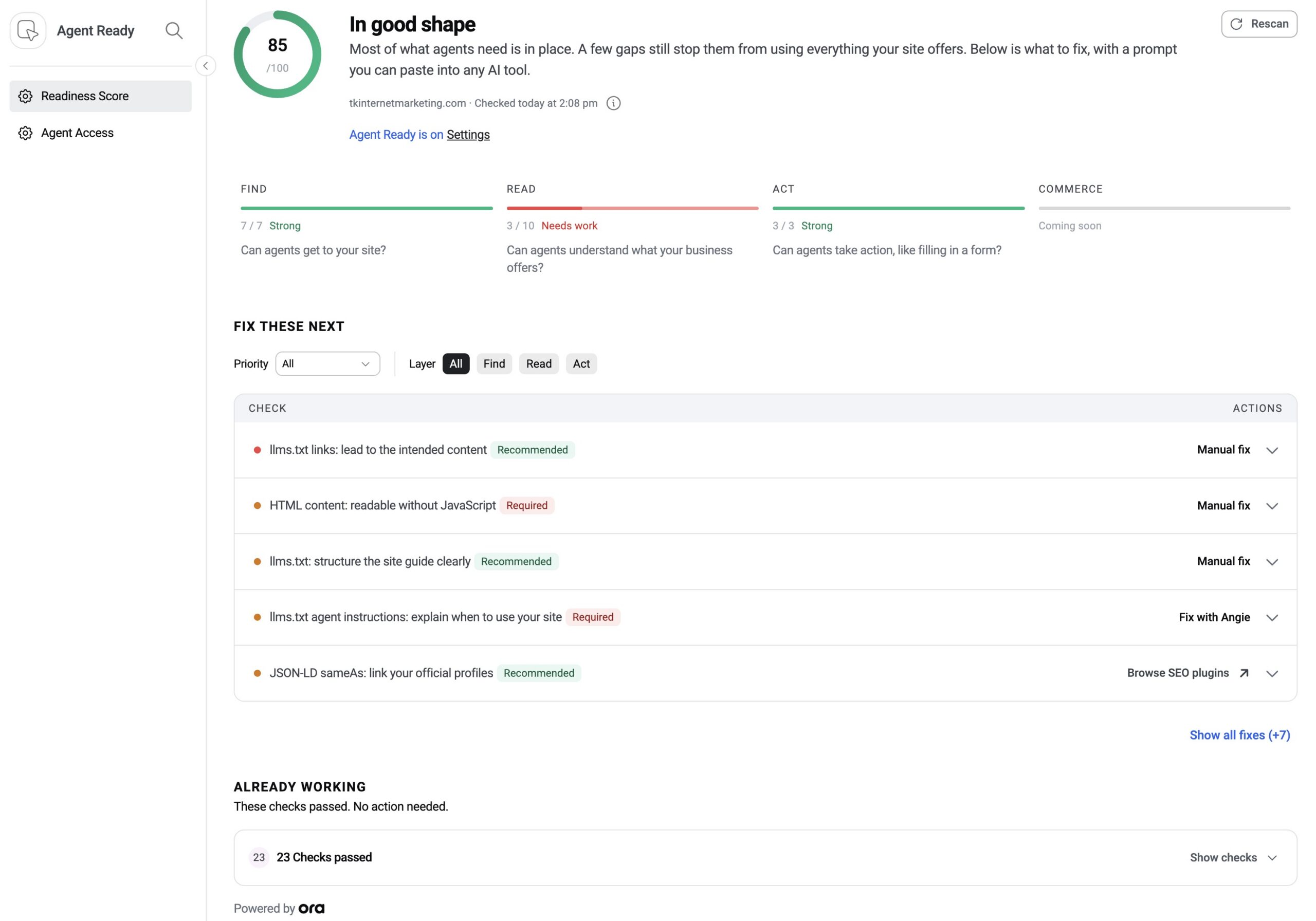
When I scanned TK Internet Marketing’s website in November 2026, it scored 85 out of 100 overall. Here’s what the breakdown showed.
| Find | Read | Act |
|---|---|---|
| 7/7 · Strong | 3/10 · Needs work | 3/3 · Strong |
The Read score was the one I wanted to investigate. Elementor flagged whether page content was readable without JavaScript and whether links in the site’s guide for AI tools pointed to the intended content.
For my site, I’d start with the WordPress website design and local SEO pages. Can a tool read what each service includes? Can it tell that I work with businesses in Frisco and across North Texas? Does the site guide point to the right pages?
Those questions give me something specific to verify. The overall score alone wouldn’t have told me where to start.
Give AI Tools a Guide to Your Website With llms.txt
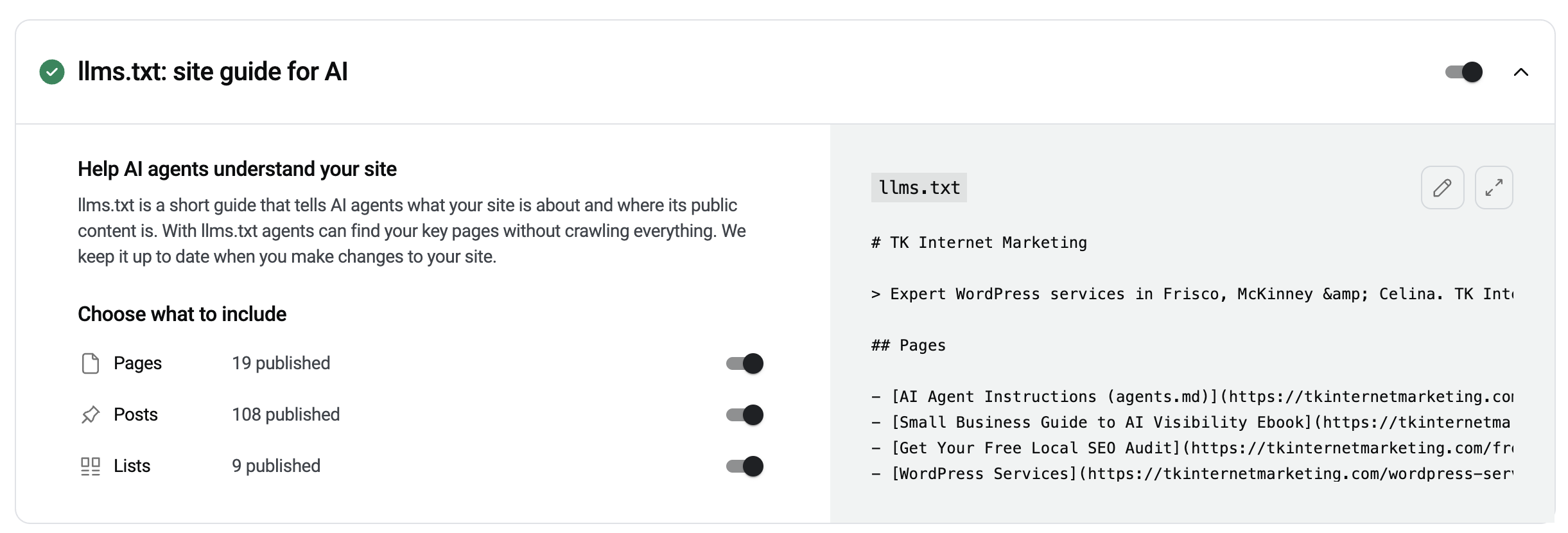
Think of llms.txt as a short guide to your public website. It gives compatible AI tools a description of your business and links to pages they can use to learn more. For TK Internet Marketing, that could mean pointing to our WordPress services, local SEO resources, and contact page.
Elementor lets you choose whether to include pages, posts, and lists in the guide. I’d start by reviewing the links it generates. If someone asks about WordPress maintenance in Frisco, does the guide point to the page that explains the service and how to get help? That’s a practical way to follow up on the Read issues I saw in my own scan.
Let Compatible AI Agents Search Your Site With WebMCP
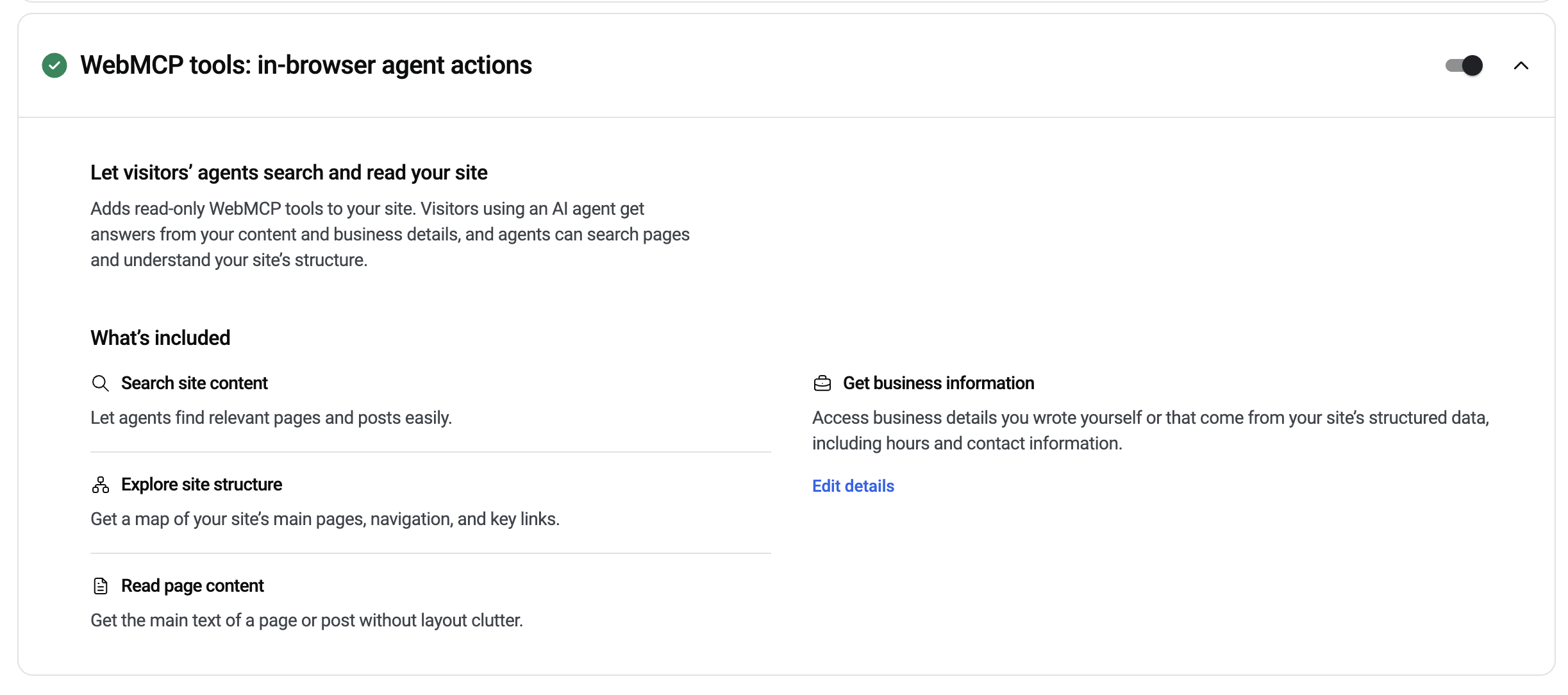
Elementor’s built-in WebMCP tools give compatible AI agents a way to search public pages and posts, read the main text of a page, and look up business details such as hours and contact information.
Imagine someone asks, “Does TK Internet Marketing maintain existing WordPress sites?” A compatible agent could use those tools to look up the relevant service page and find the answer. The tools shown here are read-only. They help an agent look up information. Submitting an inquiry or booking an appointment would require a separate capability.
Help AI Agents Discover What Your Site Offers
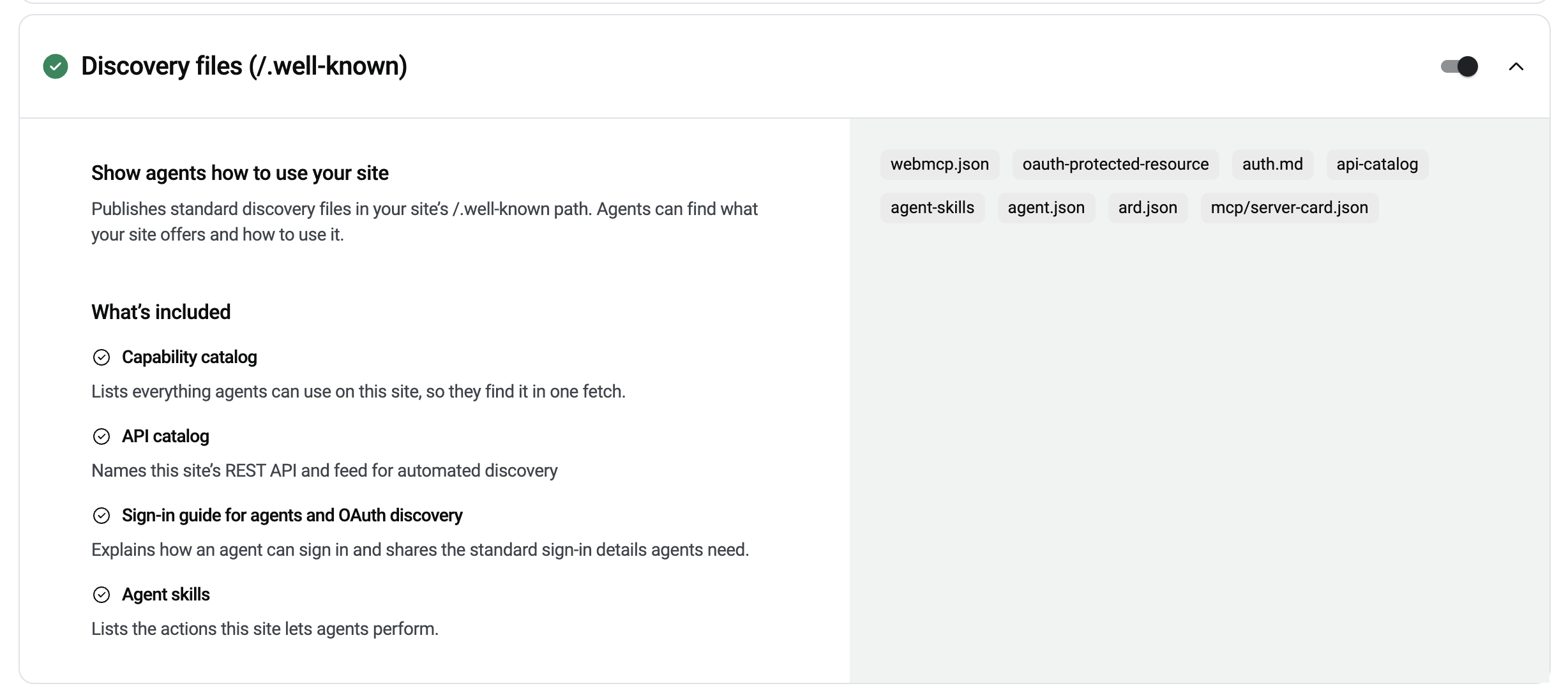
Discovery files live under a standard path on your site called /.well-known/. They give compatible agents a place to look for information about the tools and resources your website makes available.
For a small business, the practical question is what can an agent actually use today? A site might offer public content search or a way to look up business details. Its discovery files should describe those capabilities accurately. If your readiness scan flags a missing discovery file, check whether it refers to a feature your business actually needs before investing in it.
Choose How AI Bots Can Use Your Content
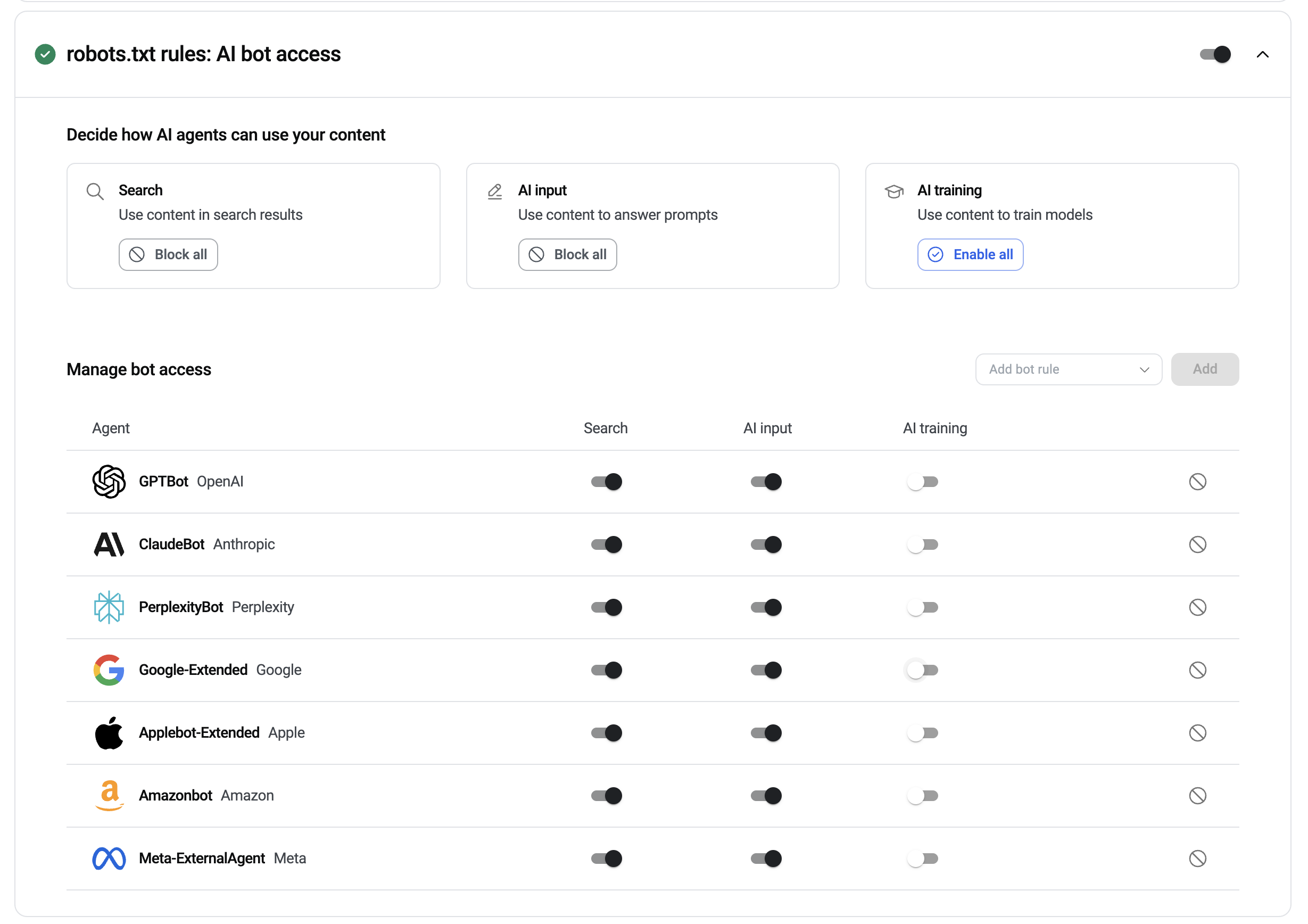
Elementor’s bot settings show three categories of content use. Search covers use in search results. AI input covers use in answering prompts. AI training covers use in training models.
The screenshot shows how I’ve set those preferences for TK Internet Marketing. Search and AI input are enabled, and AI training is turned off for the entries shown. That reflects how I want our public content to be used. If you review these settings on your own site, check the published robots.txt to see which rules are actually in effect. The settings express your preferences, and how those preferences are honored depends on the provider. learn more. For TK Internet Marketing, that could mean pointing to our WordPress services, local SEO resources, and contact page.
How to decide which fixes are worth doing
Start with a page that helps customers make a decision
Pick a core service page and check how it presents the details a customer needs. A surveying company, for example, could check whether its page explains which surveys it offers, where it works, and how to request one. If important details appear only in a graphic or downloadable brochure, consider putting them in the page text as well.
Walk through the next step yourself
Open the service page on your phone and see how easily you can reach the contact or quote request page. If your scan flags an Act issue, open the individual finding before deciding what to change. The checker can flag capabilities for compatible agents, while a hands-on test tells you whether a customer can use the website’s existing inquiry process.
Give advanced integrations a specific job
Some scan findings involve features that let compatible AI agents interact directly with a website. Before investing in an integration, decide what you want it to do. For example, would it help an agent find accurate information across a large catalog? For a local service business with a handful of pages, I’d usually start by making the service details and contact information easier to access.
Run a free scan and save the results
Enter your public website address in Elementor’s checker. It works on publicly accessible websites, including sites built on other platforms. Save the date, the overall score, and the Find, Read, and Act breakdown. After you make an update, run the same scan again and check the specific finding you worked on. Run the free Elementor Agent Ready scan.
Want help deciding what to fix?
Send me your website address or your scan results. I can explain which findings are worth addressing for your business and give you a quote for the updates your website supports. Request an AI Readiness Review.
